Hire faster. Assess smarter. Decide with confidence.
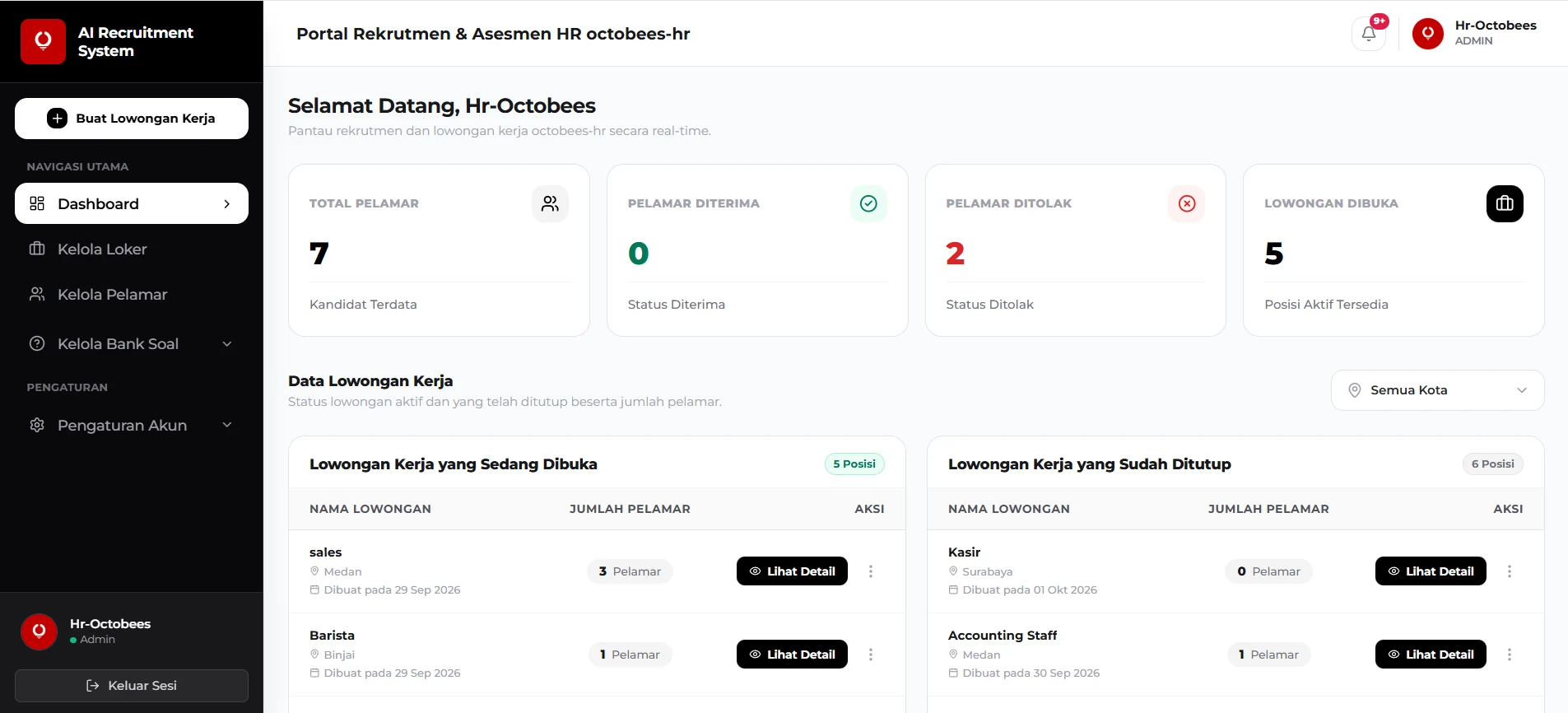
One online system for applications, assessments, and candidate review. Your HR team manages the whole process from one dashboard, and candidates apply right from their browser.
Runs fully in the browser. No installation needed.
Trusted by growing companies

Recruitment shouldn't mean spreadsheets and paper forms.
Scattered applications
Applicant data lives in emails, shared folders, and paper files. Finding one candidate takes longer than it should.
Slow, manual screening
Assessments are hard to run consistently, and comparing candidates means rebuilding scores by hand.
No single source of truth
Hiring decisions are hard to trace across branches and cities, so every region tracks candidates differently.
From application to decision in three steps.
- 01
Apply online
Applicants fill in a multi-step form on any device and upload their documents in one place.
- 02
Complete assessments
Applicants take IQ, DISC, and role-specific tests in the browser, one section at a time.
- 03
Review in one dashboard
HR reviews applicants, test results, and documents together, then moves each candidate to the next status.
A smooth application experience for every candidate.
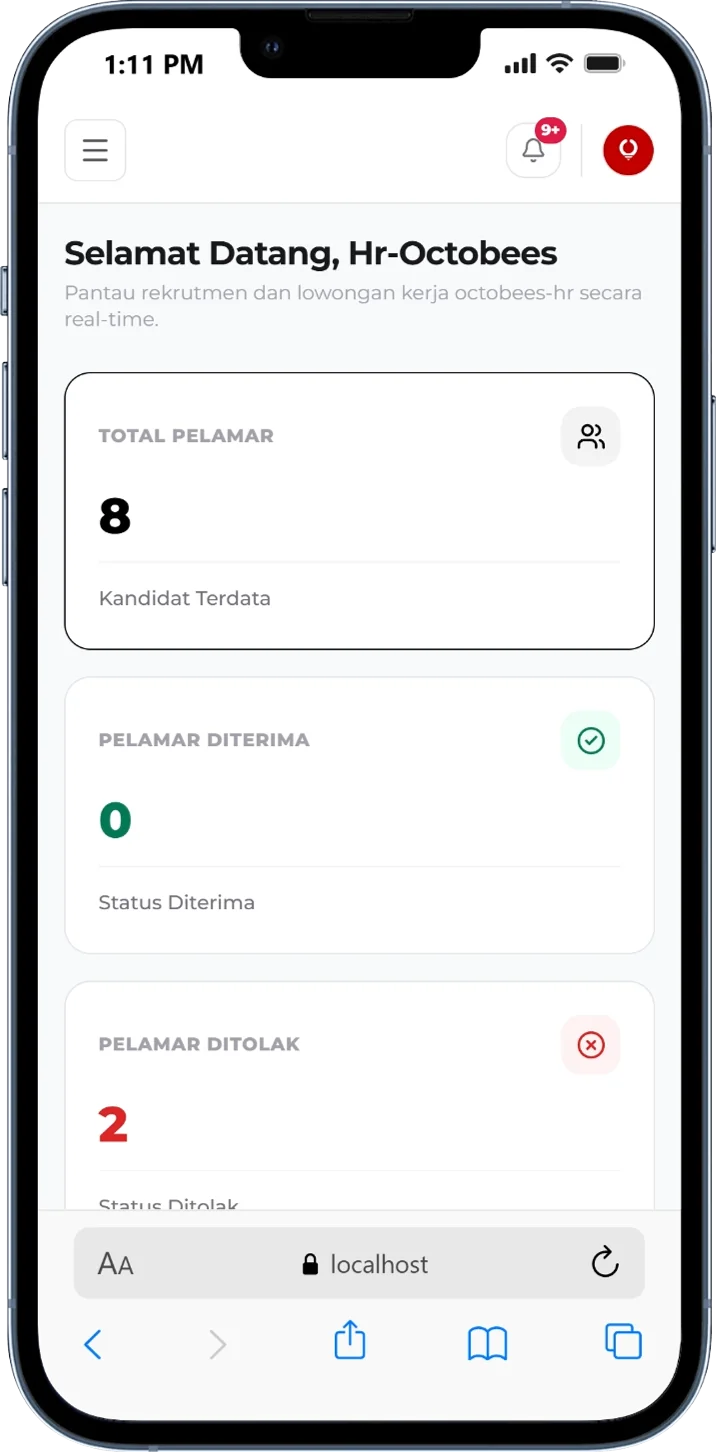
Candidates complete their profile in short sections, and each section is saved as they go. The process works on any device.
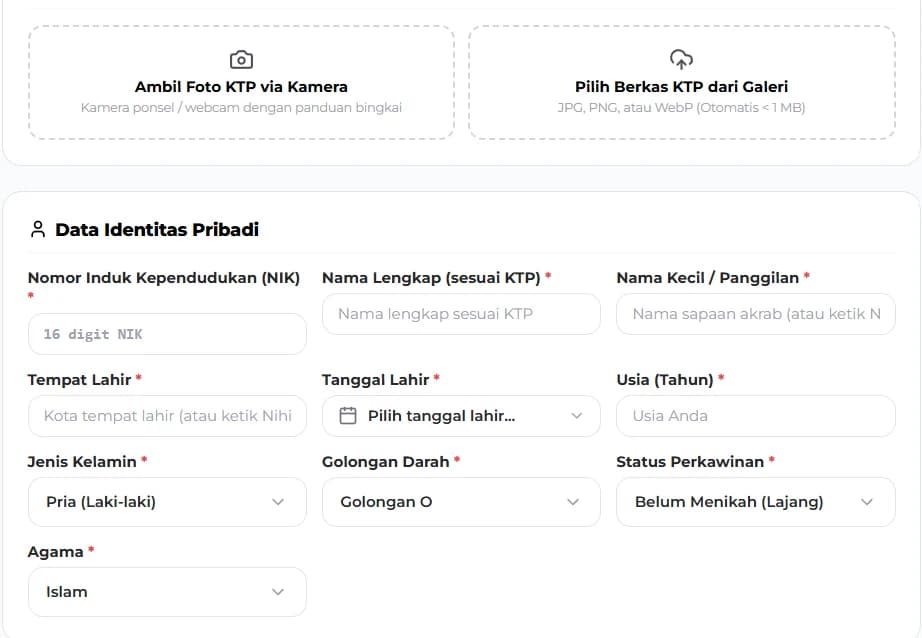
Step-by-step form
Candidates fill in their profile in short sections, with required fields clearly marked.
Auto-fill from an ID photo
Key fields are filled in from an uploaded photo. Candidates can review and correct anything.
Easy document upload
CV, diploma, cover letter, and photo are uploaded in one place.
Apply by location
Candidates scan the QR code for their city, then choose a branch and position.
Friendly reminders
Candidates who have not started their tests receive one email reminder.
Assessments built for every role.
Candidates move between sections freely, and each section is submitted once it is finished.
IQ Test
60 questions drawn at random from an active question set, completed within a time limit.
DISC Profile
A personality profile that shows working style and communication preferences.
General Knowledge
A question set covering the basics every candidate should know.
Role-Specific Test
A question package matched to each position the candidate applied for.
Interview every candidate, anytime, without scheduling a call.
A friendly AI interviewer meets each candidate in a short video conversation, so your team starts with recorded interviews instead of a pile of CVs.
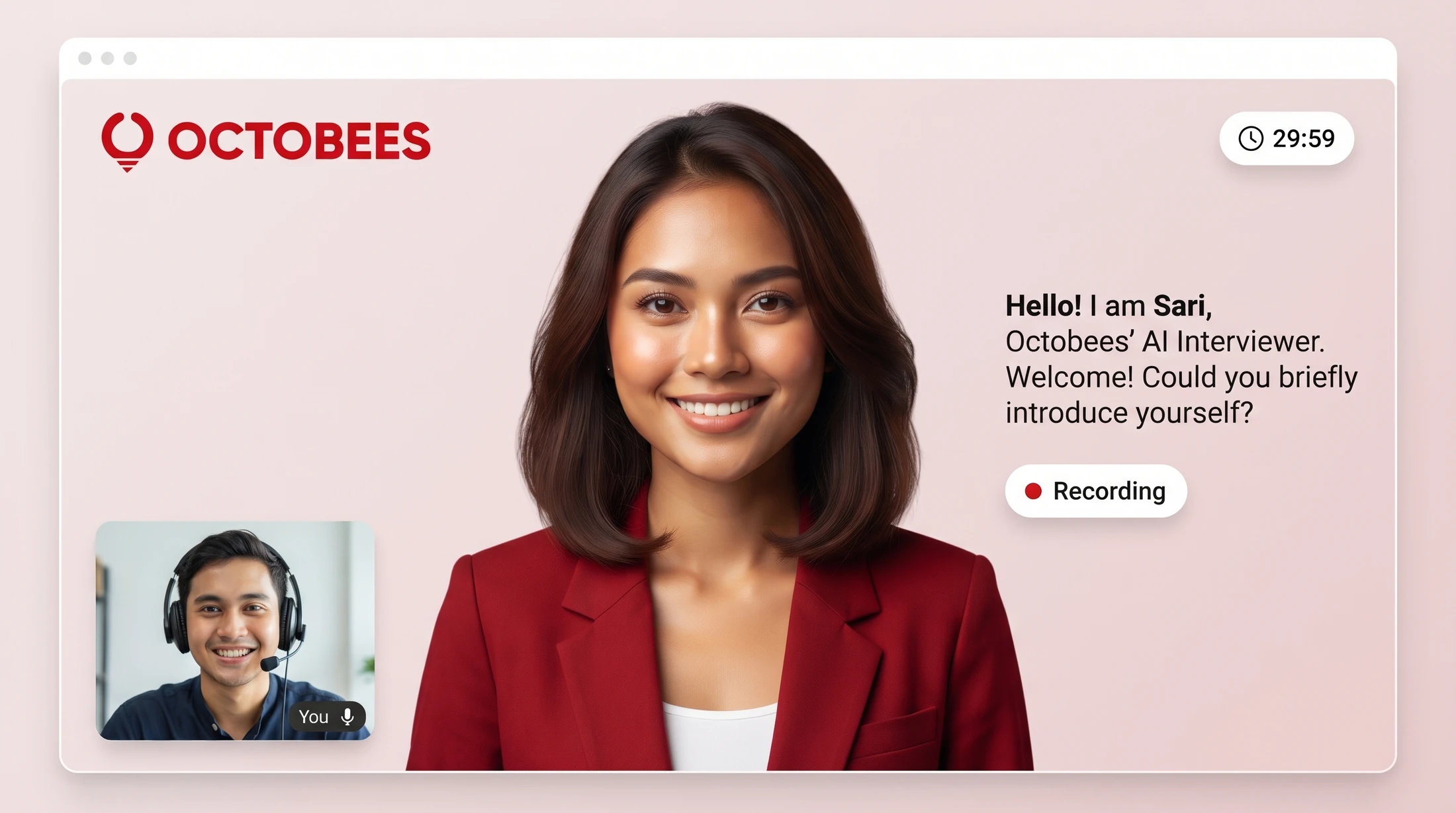
A calm, simple screen for the candidate
The interview looks and feels like a video call. Candidates know what is happening at every moment, which helps them stay relaxed and answer naturally.
Countdown timer
A clear countdown keeps every interview the same length.
Recording indicator
Candidates always see when the interview is being recorded.
Question on screen
The current question also appears as text, so nothing is missed.
Candidate preview
A small camera preview lets candidates see how they appear.
How the AI interview works, step by step
- 01
Candidate gets an interview link
After applying, each candidate receives a personal interview link. There is nothing to install and no time slot to book.
- 02
Quick check-in
The candidate allows their camera and microphone, checks how they look and sound, and starts when they are ready.
- 03
Sari asks, the candidate answers
Sari, the AI interviewer, asks questions one at a time. The candidate simply answers out loud, like in a normal video call.
- 04
The timer keeps it fair
Every interview runs against the same on-screen timer, so each candidate gets the same amount of time to show their best.
- 05
HR reviews the recording
The interview is recorded and attached to the candidate profile. HR can watch it any time and decide who moves to the next round.
The result
A shortlist of recorded interviews, all in the same format and all in one place, ready for your team to review.
The kinds of questions candidates get
Role-specific questions
Questions about the skills and daily tasks of the position the candidate applied for.
Scenario-based questions
Real situations that show how a candidate solves problems and makes decisions.
Background and motivation
Experience, availability, and why the candidate wants to join your team.
Communication
How clearly and confidently the candidate explains their answers.
Everything HR needs, in one dashboard.
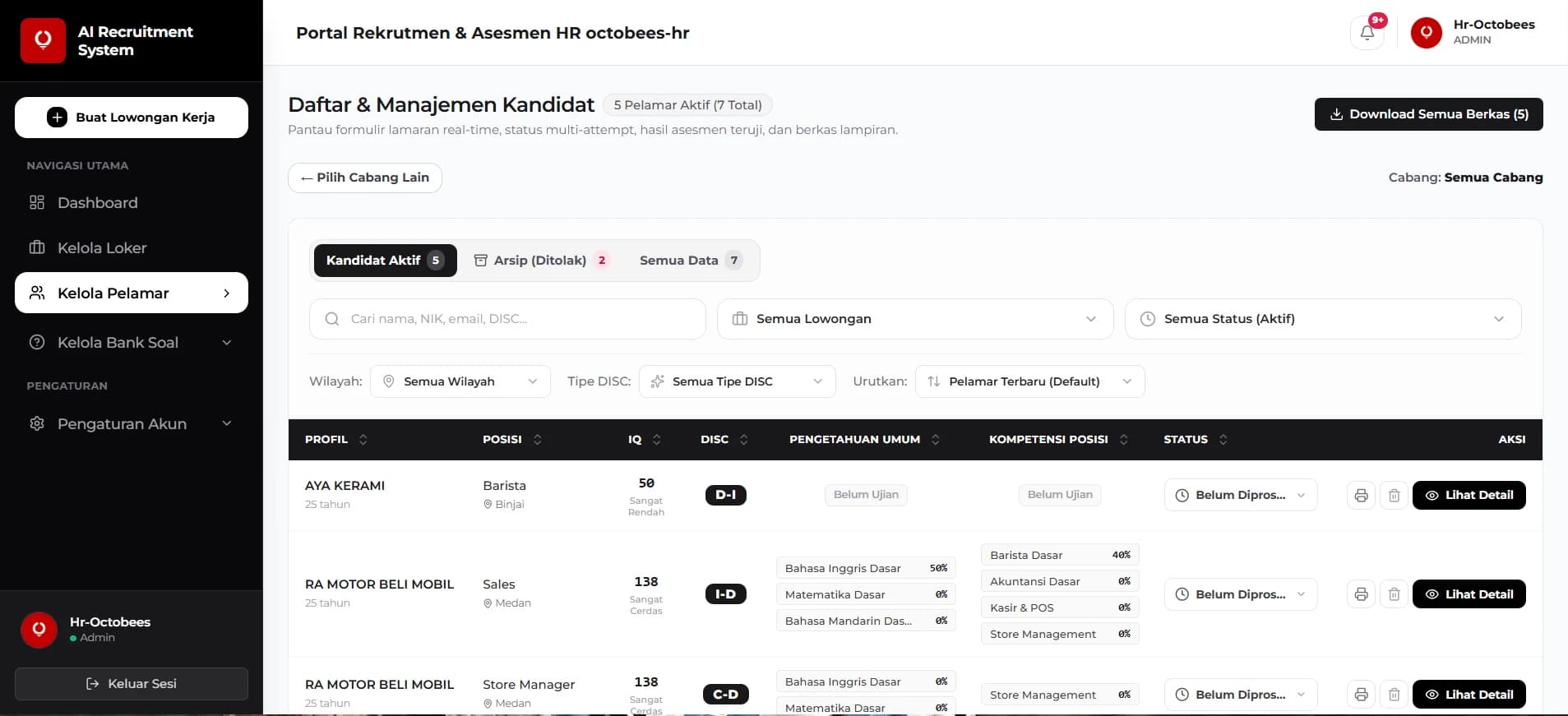
See who applied, where each candidate is in the process, and what their results say, without switching tools.
Job openings
Create, edit, duplicate, publish, and close openings. Reuse position templates to save time.
Applicant pipeline
Filter by region, opening, status, DISC type, or rank. Track each candidate from Not Processed to Hired.
Rejection with reason
Every rejection includes a reason. Rejected candidates move to a separate archive.
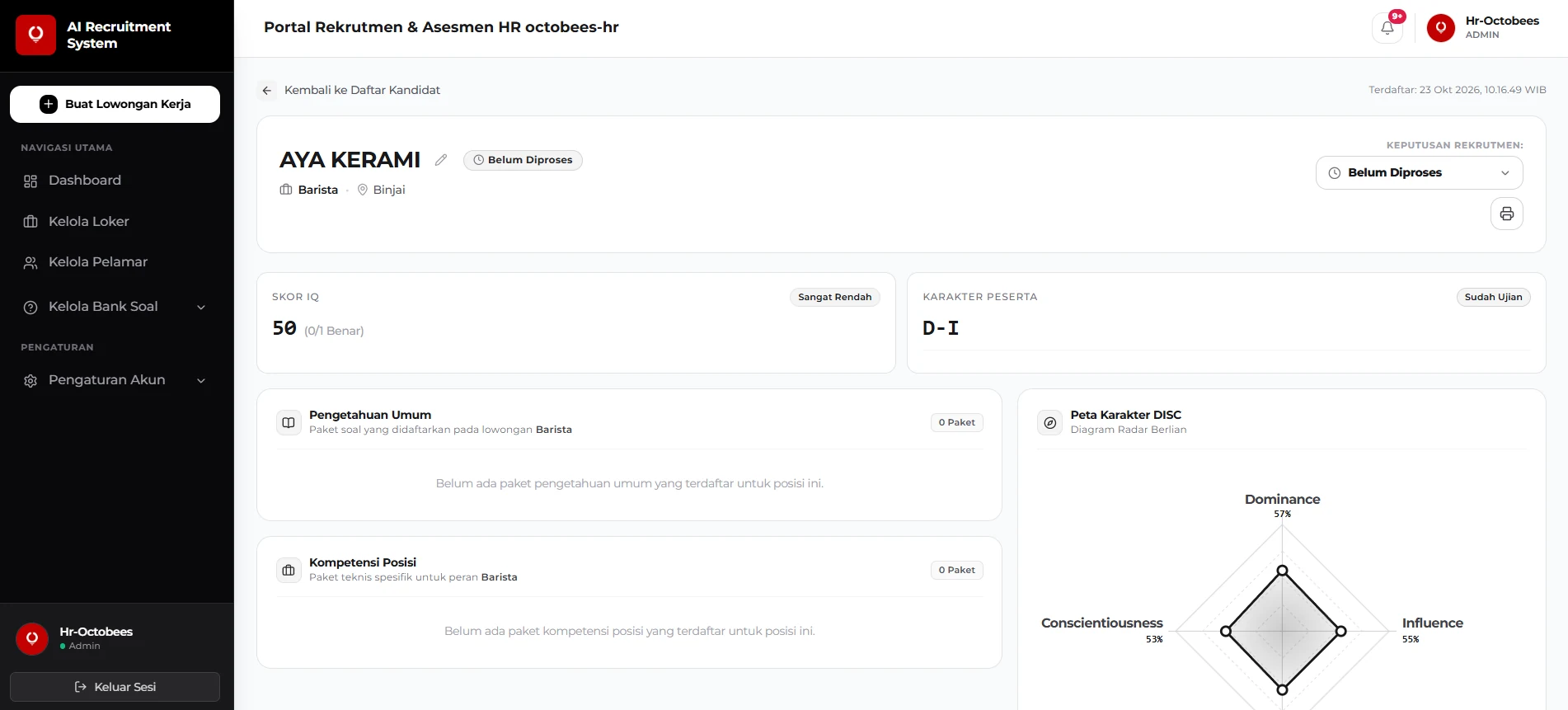
Full candidate profile
Summary, education, experience, commitments, documents, and test answers in one place.
Clear results. Ready-to-share reports.
Scores from every test appear together, so comparing candidates takes minutes instead of hours.
Score overview
IQ, DISC, general knowledge, and role-specific scores in one view.
Question-level analysis
Review how each answer was given, question by question.
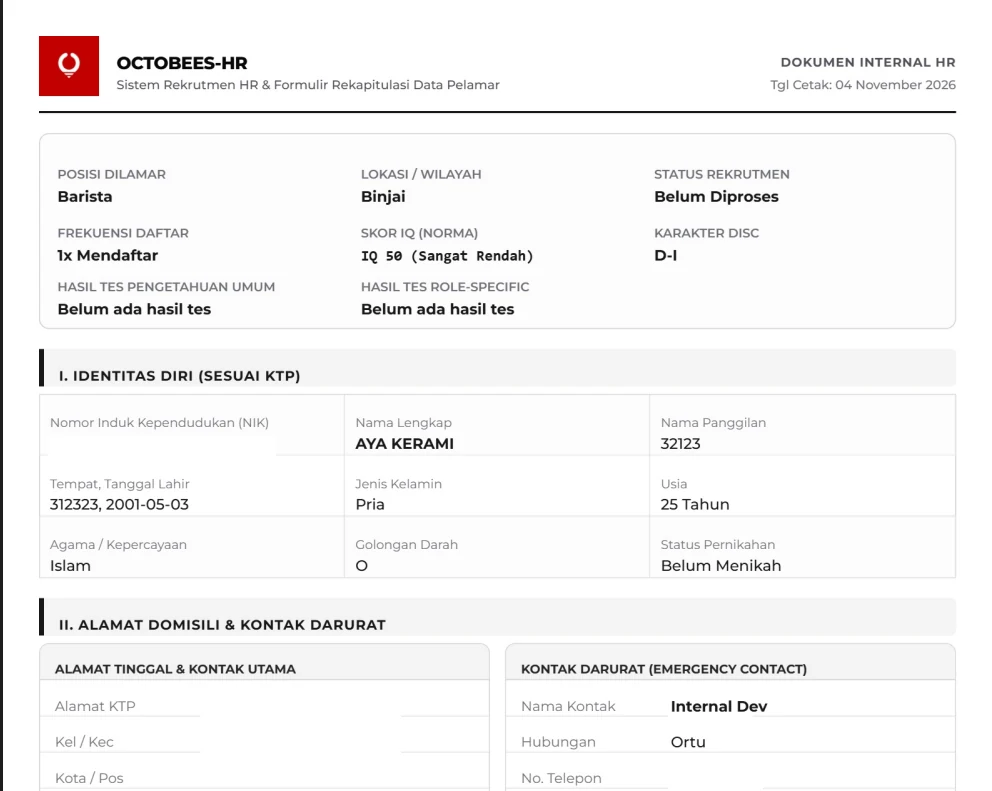
PDF export
Download a complete candidate summary with attachments and results, ready to print or share.
Bulk ZIP download
Download the documents of every filtered candidate in a single file.
Test location photo
Each test submission includes a photo taken on the spot with the camera.
Your questions, managed your way.
Keep your question sets up to date without a developer. Edit inside the system, or work in Excel and upload the results.
Multiple question sets
Activate or deactivate IQ sets, and create packages per position for DISC, general knowledge, and role-specific tests.
Full control
Add, edit, and delete questions, including questions with images.
Time limit per module
Set the duration of each test separately.
Excel import and export
Download a template with question codes, fill it in Excel, and upload it. The system previews the file and flags incorrect rows before saving.
Excel import flow
- 1. Download template
- 2. Fill in Excel
- 3. Upload file
- 4. Preview and save
Built with access control in mind.
Give each team member exactly the access they need, and keep candidate data inside your own deployment.
Role-based access
Limit each account to specific menus, such as view-only access to job openings or applicants.
Restricted documents
Sensitive files can only be opened by authorized accounts.
Separate deployment per client
Each client runs on its own deployment, so data is never shared between clients.
Account management
Invite users by email, enable or disable accounts, and manage roles from one place.
Run hiring across every branch and city.
Openings, applications, and candidates are organized by branch and city, so each region stays easy to manage.
Organized by location
Openings are grouped by branch and city.
A QR code for each city
Each city has its own application QR code that opens its open positions.
Filter by region
HR can filter candidates by region to review one branch at a time.
Branches and cities (illustrative)
See the system in action.
Browse real screens from the admin and candidate sides. Tap any screen to view it full size.
Frequently Asked Questions
Ready to simplify your hiring?
Talk to our team and see the full system in action, tailored to your branches and hiring process.
Request a Demo